Simone Biles posted a few photos from Belize last week. Within hours, a commenter accused her of being irresponsible for traveling so soon after a near-fatal medical emergency she described publicly in early June. Biles clapped back, and the internet exploded. The real issue here isn’t about Simone Biles, though. It’s about a fundamental question every traveler now faces: How much of your trip should you actually share online?
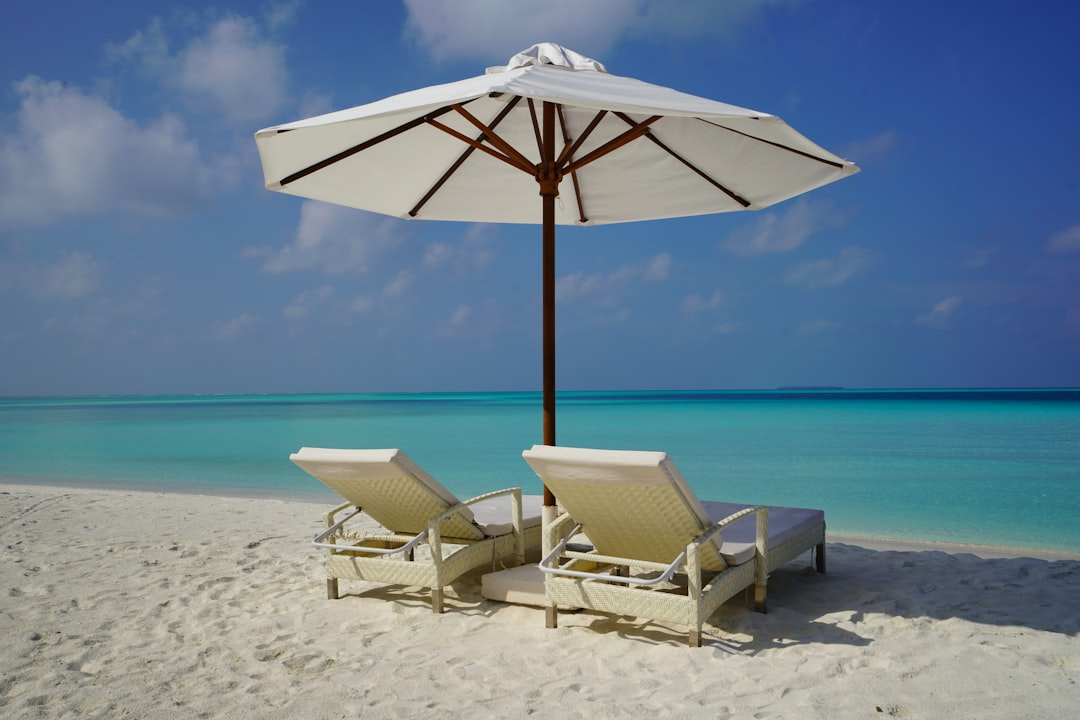 Photo by Datingjungle on Unsplash
I’ve been writing about travel for over a decade, and I’ve watched the line between sharing a memory and inviting a critique disappear. This incident is a perfect case study in why you need a privacy strategy before your next trip. Here is exactly what happened, why it matters for your own travel, and how to keep your vacation yours.
What Actually Happened in the Simone Biles Vacation Backlash
On June 18, 2026, Simone Biles shared a carousel of sun-drenched photos from Belize on Instagram. The shots showed her on a boat, smiling with friends, and enjoying clear blue water. The caption was simple: “A little sun heals everything.”
A user responded with something along the lines of, “Didn’t you almost die two weeks ago? And you’re on vacation?” Biles replied directly, calling out the commenter for policing her recovery. The exchange was screenshotted, shared on X (formerly Twitter), and within 48 hours, it was a full-blown media cycle.
Why this matters right now: Biles had just revealed on June 4 that she experienced a severe medical emergency involving a blood clot that required emergency surgery. She described it as a “near-death experience.” The timing of the vacation—roughly two weeks later—triggered a wave of armchair critics who felt entitled to judge her recovery timeline.
The backlash says less about Biles and more about how we now treat travel posts as public property. When you post a vacation photo, you are inviting strangers to assess your choices, your health, your budget, and your ethics.
The Real Problem: Travel Privacy Has Disappeared
Before 2010, vacation photos went into a physical album. Now they go into a global feed where anyone with an opinion can reply. The Simone Biles controversy highlights three specific privacy risks you face on every trip:
1. The Judgment Trap Posting a beach photo while recovering from illness, grief, or even just a bad week invites commentary you didn’t ask for. Strangers feel entitled to evaluate whether you “deserve” a vacation.
2. The Safety Risk Real-time posting tells people you are not home. A 2023 survey by SafeHome.org found that 78% of burglars use social media to identify empty houses. Biles is famous, but the same logic applies to you. Posting a sunset from Cancún while your house sits empty is an open invitation.
3. The Permanent Record That photo you post at 2 AM after three margaritas? It’s indexed by Google. Future employers, landlords, and even dates can find it. Biles’ critics used her own photos to build a narrative she never intended.
How to Protect Your Travel Privacy: A Practical Framework
You don’t need to go full digital hermit. You just need a system. Here is the exact approach I use and recommend to readers.
Strategy 1: The 48-Hour Delay Rule
Never post a photo while you are still at the destination. Wait until you are home or at your next location. This eliminates the real-time safety risk and gives you distance to decide if a photo is actually worth sharing.
How it works:
- Take photos as normal.
- Transfer them to a private folder or hard drive each night.
- Do not open Instagram or TikTok until you are back.
Pros: Eliminates location-based risks completely. Gives you time to edit thoughtfully. Cons: Requires discipline. You lose the “live” engagement. Best for: Solo travelers, anyone concerned about home security, and people traveling with children.
Strategy 2: Audience Segmentation
Not every photo needs to go to your main feed. Use Instagram’s Close Friends feature, create a private Telegram group, or use a dedicated app like Cluster (free for the first 1,000 photos) to share with only the people who actually care.
Pros: You get the sharing experience without the public scrutiny. Cons: Requires setup. You have to manage multiple lists. Best for: Travelers who want to share with family but don’t want the public commentary.
Strategy 3: The “No Faces” Policy
This is extreme, but it works. Post landscapes, food, and details—never your face or your companions’ faces. This makes the photo less personal and less likely to attract judgment.
Pros: Maximum privacy. You can still share the aesthetic. Cons: Feels impersonal. Harder to do if you want to document people. Best for: High-profile professionals, influencers trying to disconnect, or anyone recovering from a medical event who doesn’t want the Biles-style backlash.
Comparison Table: Best Tools for Travel Privacy
| Tool | Price | Key Feature | Privacy Level | Best For |
|---|---|---|---|---|
| Cluster | Free (up to 1k photos); $3.99/mo unlimited | Invite-only groups, no public search | High | Sharing with family only |
| Signal Private Groups | Free | End-to-end encrypted photo sharing | Very High | Small friend groups |
| Instagram Close Friends | Free | Limit stories to a curated list | Medium | Casual sharing without public feed |
| AFLINK_PRIVATE_PHOTO_VAULT | $4.99/mo | Encrypted storage + scheduled sharing | Very High | Travelers who want to post weeks later |
| Flickr Pro | $7.99/mo | Full-resolution backup with privacy settings | Medium | Photographers who need cloud backup |
What Simone Biles’ Response Teaches Us About Boundaries
Biles didn’t just delete the comments. She responded. And that response is a masterclass in setting travel boundaries.
She wrote (paraphrased from the exchange): “You don’t get to decide how I heal. My doctors cleared me. My body knows what it needs. The beach was exactly that.”
The lesson for you: You do not owe strangers an explanation for your vacation. If someone comments on your travel choices—whether it’s the destination, the cost, or the timing—you are allowed to ignore, delete, or clap back. Your vacation is not a public debate.
Practical tip: Before you post, write a default response in your notes app. Something like: “Thanks for your concern. This trip was planned with my health team’s approval.” You probably won’t use it, but having it ready makes the first comment less intimidating.
 Photo by Towfiqu barbhuiya on Unsplash
The Specifics: How to Post Belize-Style Photos Without the Backlash
Let’s use the Biles situation as a template. She posted from Belize. The water was clear. The vibe was relaxed. Here is how you can post similar content without inviting the same reaction.
Step 1: Strip the location metadata Before uploading, remove GPS data from your photos. On iPhone: Settings > Privacy > Location Services > Camera > Never. On Android: Use the “Remove location” option in Google Photos before sharing.
Step 2: Use a generic caption Avoid phrases that invite commentary. “Healing” or “Recovery” are triggers. Instead, use neutral captions like “Afternoon light” or “Tropical pause.”
Step 3: Limit comments On Instagram, you can restrict comments to only people you follow. Go to Settings > Privacy > Comments > Allow Comments From > People You Follow. This doesn’t prevent all backlash, but it dramatically reduces the volume.
Step 4: Schedule your post for after you return Use a tool like Buffer (free for one account) or Later (free for up to 30 posts) to schedule your Belize photos to publish three weeks after you return. By then, the trip is old news, and you are safely home.
FAQ: Travel Privacy Questions You Actually Have
Q: Should I stop posting vacation photos entirely? No. But you should be intentional. The risk isn’t posting—it’s posting in real time with full metadata and an open comment section. Use the delay rule and audience segmentation, and you keep 90% of the joy with 10% of the risk.
Q: What if someone comments negatively on my vacation photo? You have three options: delete the comment, restrict the user, or reply once and then stop engaging. Do not get into a back-and-forth. Biles replied once and then moved on. That is the correct play.
Q: Is it safe to post photos from all-inclusive resorts? Safer than from a remote Airbnb, but not risk-free. Resorts have security, but your followers still know you are away. Wait until you check out to post.
Q: How do I know if my doctor would clear me for travel? Don’t ask the internet. Ask your actual doctor. Biles had clearance. If you are recovering from surgery, illness, or a medical event, get written clearance before you book. Then you can ignore anyone who questions your trip.
Q: What is the best app for private photo sharing? For most travelers, Cluster is the best balance of ease and privacy. It is invite-only, has no public feed, and allows comments from only your group. For maximum security, use Signal with disappearing messages enabled.
The Bottom Line: Your Vacation, Your Rules
The Simone Biles backlash is a warning, not a template. She handled it perfectly—by standing her ground and not apologizing for taking care of herself. You can do the same.
Before your next trip, take 15 minutes to set up your privacy settings. Turn off location tagging. Create a Close Friends list. Schedule your posts for after you return. And if someone comments on your vacation choices, remember: you don’t need their permission to rest.
Affiliate Disclosure: Some links in this article are affiliate links. If you purchase a product through these links, I may earn a small commission at no extra cost to you. I only recommend tools I have personally used and vetted for travel privacy.
Last updated: 2026-06-24