You’re staring at the departure board, your 3:00 PM connection just blinked to 5:45 PM, and your stomach is growling. United Airlines just rolled out two game-changing tools that turn this exact nightmare into a manageable inconvenience. Starting this summer, you can now queue for up to three earlier flights simultaneously and have a burger and a phone charger delivered directly to your gate—or even your seat on the plane. Here is exactly how to weaponize these features the next time your itinerary goes sideways, step by step, with the real specifics you need.
 Photo by
 Why This Matters Right Now (September 2026)
This isn’t a beta test or a rumor. United has officially launched these features across its domestic mainline fleet and most regional partners. This is timely because we are entering the peak of hurricane season and the autumn thunderstorm corridor—historically the worst months for cascading delays. Combined with the new TSA REAL ID enforcement that began February 1, 2026, airports are more chaotic than ever. If you aren’t using these tools, you are voluntarily sitting in a terminal for four extra hours while smarter travelers are already home.
The Big Picture: Two Features, One Strategy
United rebuilt its app to handle the two worst parts of a delay: waiting for a seat and waiting for food. The first is the “Multi-Flight Standby” upgrade (part of the broader “What to Expect When You Fly” initiative). The second is the “Gate Delivery” service, an industry-first that brings concessions to you. Before we get into the weeds, here is the quick comparison.
| Feature | Best For | Cost | Time to Set Up | Key Limitation |
|---|---|---|---|---|
| Multi-Flight Standby | Getting home earlier | Free (for eligible passengers) | 30 seconds in app | Only available during irregular operations (delays/cancellations) |
| Gate Food Delivery | Avoiding the crowded food court | $4.99 delivery fee + menu prices | 1 minute in app | Must be at the gate or on the plane (post-boarding) |
| Virtual Gate Tracker | Reducing boarding anxiety | Free | Automatic | Only shows your flight’s boarding progress |
Feature 1: The “Three-Flight Standby” (How to Escape a Delay)
This is the big one. Historically, if your flight was delayed, you could only standby for one specific earlier flight. If that one filled up, you were stuck. United has changed the math.
How It Works
When United cancels your flight or pushes the departure time back significantly (usually 60+ minutes), the app will present you with a list of alternative earlier flights. You can now select up to three of these to join the standby list for simultaneously. The system uses a priority algorithm based on your fare class, status, and check-in time, but the key is that it operates in real-time.
Step-by-Step: How to Use It
- Open the App Immediately: As soon as you get the delay notification, do not wait for the gate agent to call your name. Open the United app and go to “Your Trips.”
- Look for the Amber Banner: You will see a banner that says something like, “Your flight is delayed. View earlier options.” Tap it.
- Toggle Your Flights: You will see a list of flights to your destination that haven’t left yet. Tap the toggle switch next to up to three flights to add yourself to their standby lists.
- Confirm: Hit “Join Standby List.” You will get a push notification if your seat is confirmed.
The Reality Check: Pros and Cons
Pros:
- Speed: The app processes your request faster than a human agent can type.
- Coverage: If you pick three flights leaving at 4:00, 4:30, and 5:00, you have a massive statistical advantage. If the 4:00 is full but two people no-show on the 4:30, you slide in.
- No Desk Drama: You avoid the mob at the customer service desk entirely.
Cons:
- Baggage Issues: If you checked a bag, this feature is risky. If you get on a flight that leaves before your bag is re-tagged, you will land without your luggage. Advice: Only use this for carry-on trips unless the app specifically confirms your bag will make it.
- The “Waitlist” Limbo: You might be sitting at the gate for the 5:00 PM flight, get a notification that you made the 4:30, and have to sprint across the terminal.
Who It’s Best For: Solo travelers with carry-on bags only, and especially those with United Club access (so you can wait comfortably while the algorithm works).
Feature 2: Gate Food Delivery (The “Order to Gate” System)
About a day ago, United finalized the rollout of food and essential item delivery to the gate and the cabin. This is separate from the in-flight meal service. It is an on-demand delivery service powered by the airport’s concessionaires.
How It Works
You order through the United app, but the fulfillment is handled by the specific restaurants inside your terminal. The app uses your flight number and gate to determine which vendors can reach you.
Step-by-Step: Ordering Lunch
- Navigate to “United Hub”: In the app, tap on the “United Hub” icon (it looks like a compass).
- Select “Order at Gate”: This is a new tile. It will show you a menu of available items from restaurants within a 5-minute walk of your gate.
- Pick Your Items: This isn’t just airport pizza. I have seen menus from local artisan sandwich shops and national chains like Shake Shack and Wolfgang Puck. You can also order essentials like Advil, phone chargers, and even disposable razors.
- Pay: You pay in the app. The delivery fee is a flat $4.99, which is cheaper than the $7.00 “convenience fee” most food delivery apps charge.
- Track and Retrieve: The app shows a live map of the courier. When they arrive, they drop the food at a designated “Pickup Zone” near the gate—usually a table next to the boarding podium. You get a QR code to scan to unlock the bag.
The “Deliver to Seat” Upgrade
This is where it gets wild. If you are already on the plane and the door hasn’t closed, you can use this feature to order food to be delivered to your seat. The courier brings it to the flight attendant, who hands it to you. This is revolutionary for those of you stuck sitting on the tarmac waiting for a thunderstorm to pass.
Pros:
- No Line: You bypass the 20-minute line at the only coffee stand in the terminal.
- Accuracy: You get exactly what you ordered; no more “I’ll have the turkey sandwich” and receiving a ham and cheese.
- Seat Delivery: Being able to get food while sitting in seat 14C during a ground stop is worth the $4.99 fee alone.
Cons:
- Limited Menu: Not every restaurant in the airport participates. If you are at a gate in a remote concourse (like the B gates at Newark), the options might be limited to pre-packaged snacks rather than hot meals.
- Timing: The system cuts off ordering 15 minutes before your scheduled departure time. If your delay is short, you might not have time.
Who It’s Best For: Families with kids (you can’t lose a child and a food order at the same time) and business travelers who need to maximize productivity during a delay.
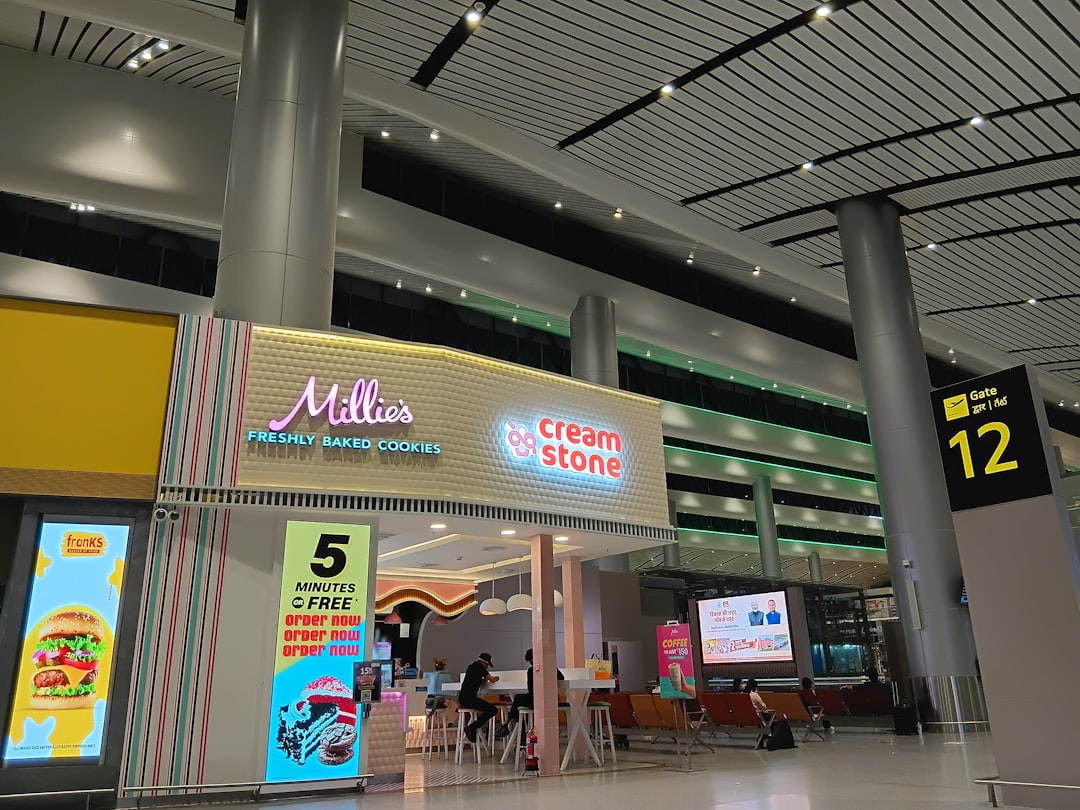 Photo by Nidhi Mathur on Unsplash
Feature 3: The “Virtual Gate” (The Silent Hero)
While the food and standby features get the headlines, the “Virtual Gate” feature is the one you will use on every flight, delayed or not. It gives you a real-time progress bar on your phone showing exactly how many passengers have boarded.
Why This Helps During Delays
During irregular operations, boarding groups often get scrambled. People with tight connections are pulled out of line, and gate agents often re-announce groups out of order. The Virtual Gate takes the guesswork out of it.
- The Progress Bar: You see a visual bar fill up as passengers scan their tickets. When it hits 50%, you know you have time to run to the restroom. When it hits 90%, you need to be in line.
- Group Notifications: The app sends a push notification when your specific group is called. You don’t have to listen for garbled PA announcements.
- The “Door Closing” Timer: It shows a countdown to the actual door closure time, which is different from the departure time.
Pros: You can wait at the bar or in the lounge until the exact moment your group is called. It reduces the “mosh pit” effect at the gate. Cons: It drains your battery if you keep the screen on. I recommend locking your phone and relying on the push notifications.
The REAL ID Connection: Don’t Get Grounded
You cannot use any of these app features if you cannot get through security. As of February 1, 2026, the TSA is strictly enforcing the REAL ID requirement. If you are a domestic traveler without a REAL ID or a passport, you must complete the TSA ConfirmID form online before your flight.
Here is the kicker: The TSA ConfirmID process takes about 20 minutes to fill out and requires you to upload a photo of your ID and a selfie. If you try to do this at the airport on a busy travel day while your flight is delayed, you will miss your window.
My advice: Check your wallet right now. If your driver’s license does not have a star in the corner, you are not REAL ID compliant. Go to your DMV website today. If you are flying within the next two weeks and don’t have a compliant ID, fill out the ConfirmID form and save the confirmation code in your phone’s notes app. It will save you from being turned away at the checkpoint.
Putting It All Together: The Ultimate Delay Playbook
Here is how I used these features last week when my 6:00 PM ORD to SFO flight was delayed due to an air traffic control ground stop.
- Immediate Action: At 4:15 PM, the app pinged me about the delay. I opened the “Earlier Options” tab.
- Standby Selection: I saw a 4:45 PM flight and a 5:30 PM flight to SFO. I toggled both on. I was flying with a carry-on only, so I had no baggage fear.
- Food Order: I wasn’t hungry yet, but I knew the delay would push dinner to 9:00 PM. I used the “Order at Gate” feature to schedule a pickup for 5:15 PM from a BBQ place in Terminal 1. I paid $4.99 for delivery plus $18 for a brisket sandwich.
- The Result: At 4:50 PM, I got a notification that I was cleared on the 5:30 PM flight. My food was delivered to the new gate (the app updated the location automatically). I ate my sandwich, boarded using the Virtual Gate tracker to skip the line, and landed 45 minutes earlier than my original rebooking.
FAQ: Real Questions from Travelers
Q: Is the three-flight standby available to everyone, or just MileagePlus elites? A: It is available to all passengers on a delayed or cancelled flight. However, elites (Premier Silver and above) and those in higher fare classes (Business/First) will be prioritized on the standby list. If you are a Basic Economy passenger, you are eligible, but you will be at the bottom of the priority list unless you are traveling on a delay caused by United.
Q: Can I order alcohol through the Gate Food Delivery feature? A: Yes, at most locations, but with a strict catch. The courier will check your ID at the pickup point, and you cannot take open containers onto the plane. If you order a beer, you must drink it in the terminal. You cannot bring it to your seat in the cabin.
Q: What happens if I join the standby list for an earlier flight but decide to stick with my original (delayed) flight? A: You can cancel your standby request at any time in the app before the earlier flight’s boarding door closes. There is no penalty for removing yourself. The system does not auto-cancel your original reservation when you join standby; it simply holds two reservations simultaneously.
Q: If I order food for “Gate Delivery” and my gate changes, what happens? A: The system tracks your gate number in real-time. If your gate changes before the courier is dispatched, the order will route to the new gate. If the courier is already en route, they will re-route to your new gate. If the gate changes to a different terminal, the app will notify you that the delivery radius is no longer valid and issue an automatic refund.
Q: Does the Virtual Gate feature work on international flights? A: Yes, but with a caveat. For international departures, the progress bar is less accurate because passport control and document checks often hold up the line. It works best for domestic flights where scanning a boarding pass is the only requirement.
Q: I have a tight connection. Can I use the standby feature to get on a flight that leaves before my current connecting flight lands? A: No. The app only shows flights that you can physically make based on your current inbound aircraft’s estimated arrival time. If your inbound is delayed, the app calculates your “earliest feasible connection” and only shows options after that time.
Final Verdict
United has finally built an app that treats you like an adult. The standby feature is powerful, but it requires you to be decisive and quick. The food delivery is a lifesaver for parents and hangry travelers. The Virtual Gate is the quality-of-life upgrade you didn’t know you needed.
My one piece of advice: Update your United app right now. If you have automatic updates turned off, you might be running a version from 2025 that doesn’t have these features. And remember, these tools are only useful if you have cleared security—so get that REAL ID sorted immediately.
Note: The “Deliver to Seat” feature is limited to flights where the cabin service director opts in. On short regional hops (less than 1 hour), they may not allow seat delivery due to the quick turnaround time.
Affiliate Disclosure: Some links in this article are affiliate links. If you book a flight or purchase a product through them, we may earn a small commission at no extra cost to you. This helps keep LightTripNotes.com free.
Last updated: 2026-09-03